ใหม่บน iOS 26 — สร้างบน AlarmKit

นาฬิกาปลุกที่ดึงคุณออกจากเตียงได้จริง

ตื่นมาด้วยเพลย์ลิสต์ Spotify, เพลง Apple Music, สถานีวิทยุออนไลน์, วิดีโอ YouTube หรือเสียงในตัว 12 แบบที่ไม่อาจมองข้าม Smart Wake ในช่วงหลับตื้น เสียงค่อย ๆ ดังขึ้น และความท้าทายที่ทำให้กดเลื่อนปลุกไม่ได้

ดาวน์โหลดบน App Store

ใช้ฟรีลองดู • iPhone, iPad และ Apple Watch

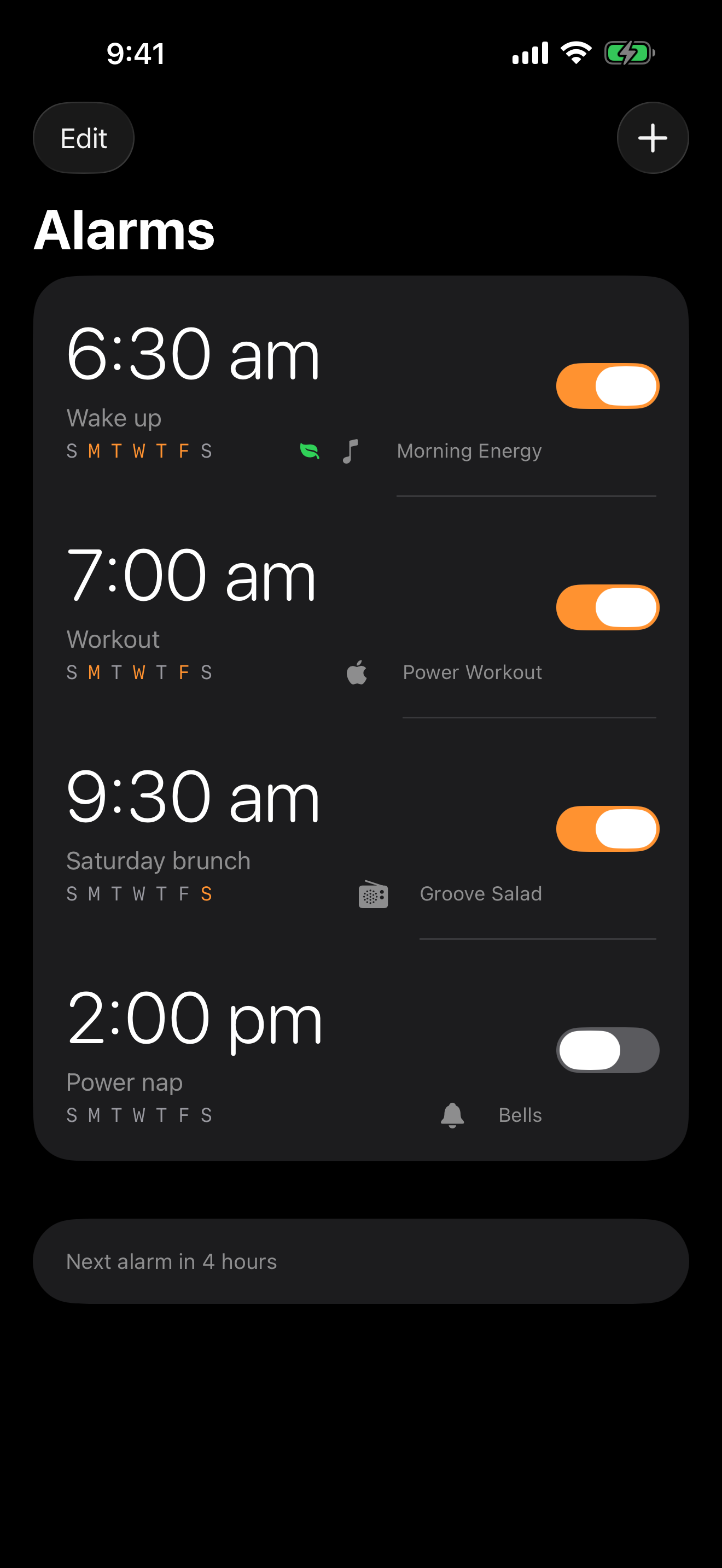
รายการนาฬิกาปลุก Alarms Pro บน iPhone
Spotify Apple Music มากกว่า 30,000 สถานีวิทยุ iOS 26 AlarmKit Apple Watch

Features

สำหรับคนที่เกลียดการถูกปลุก

หกอย่างที่แอป Clock มาตรฐานทำไม่ได้

ตื่นด้วยอะไรก็ได้

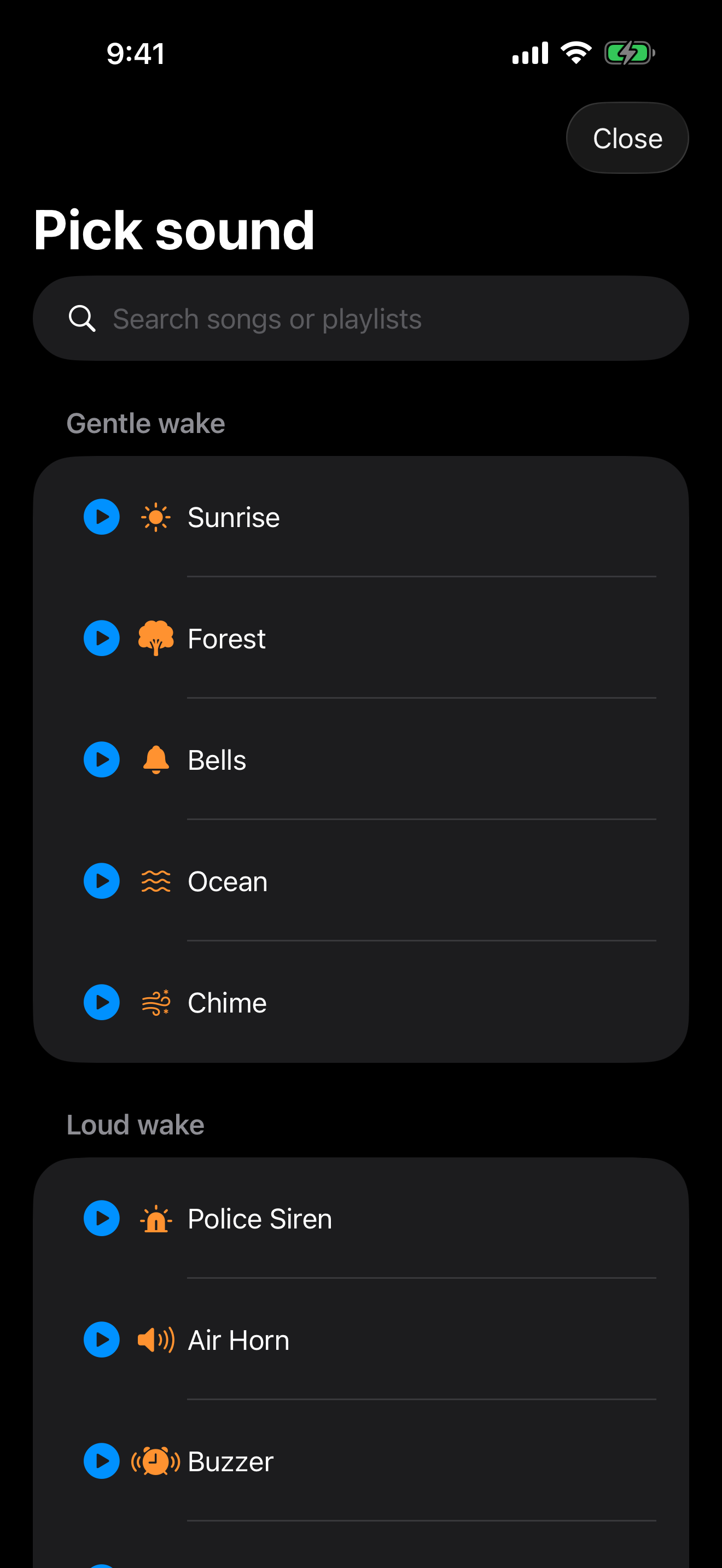
Spotify, Apple Music, YouTube, วิทยุออนไลน์ (มากกว่า 30,000 สถานี) หรือเสียงในตัว 12 แบบที่ดังเร้าใจ — จากไซเรนถึงเลื่อยยนต์ สำหรับคนหลับลึก
Smart Wake

ใช้การติดตามการนอนของ Apple Watch เพื่อปลุกคุณในช่วงหลับตื้น สูงสุด 30 นาทีก่อนเวลาที่ตั้งไว้ จบปัญหาตื่นแบบงัวเงีย

iOS 26 AlarmKit

ปลุกระบบเต็มจอที่ข้ามโหมดห้ามรบกวน, โหมดโฟกัส และโหมดเงียบ — เหมือนแอป Clock ของ Apple นาฬิกาปลุกของคุณดังเสมอ

ความท้าทายปลุก

แก้โจทย์เลข, เขย่าโทรศัพท์ 20 ครั้ง, สแกนบาร์โค้ด, ถ่ายรูป หรือทำตามแบบ Simon ก่อนนาฬิกาปลุกจะเงียบ

เสียงดังขึ้นเรื่อย ๆ และจำกัดการเลื่อนปลุก

เสียงค่อย ๆ ดังขึ้นจากเงียบจนถึงระดับปลุก ใช้เวลาสูงสุด 5 นาที พร้อมจำกัดจำนวนการเลื่อนปลุกต่อนาฬิกาปลุก

โหมดเข้านอนและเสียงช่วยหลับ

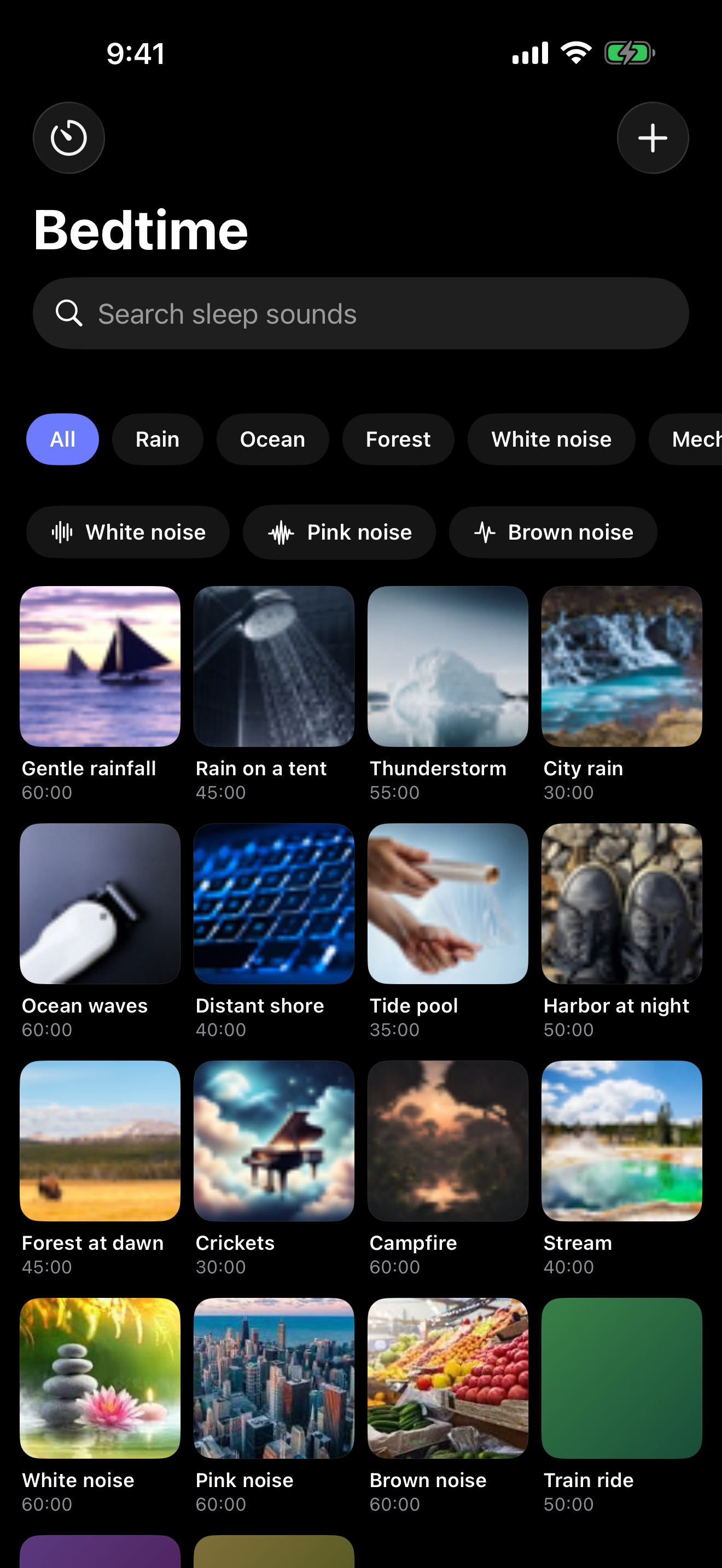
แท็บที่สองมีเสียงช่วยหลับซิงค์ผ่าน CloudKit — ทะเล, ฝน, พัดลม, ไวต์นอยส์, รถไฟ — พร้อมตัวจับเวลานอนที่ค่อย ๆ จาง

Why not just use Clock?

ใช้ได้ครับ จนกว่าคุณจะต้องตื่นจริง ๆ

แอป Clock มีเสียงเรียก 25 แบบ แค่นั้น

Alarms Pro Clock มาตรฐาน
นาฬิกาปลุกด้วยเพลงและพอดแคสต์
วิทยุออนไลน์ (30,000 สถานี)
Smart Wake ในช่วงหลับตื้น
ความท้าทายปลุก (เลข, เขย่า, สแกน)
เสียงดังขึ้นเรื่อย ๆ
จำกัดการเลื่อนปลุกต่อนาฬิกา
คลังเสียงช่วยหลับ
วิดเจ็ตและ Dynamic Island
iOS 26 AlarmKit (ข้ามห้ามรบกวน)

A quick tour

Five screens. Five problems solved.

A clean alarm list. Swipe-to-edit, long-press for repeats, and a footer that always shows your next alarm.
Pick from Spotify, Apple Music, internet radio, AI wake mixes, or 12 loud built-in tones. Preview anything before you commit.
Fall asleep to ocean, rain, or 30,000+ radio stations. Sleep timer fades out gracefully.
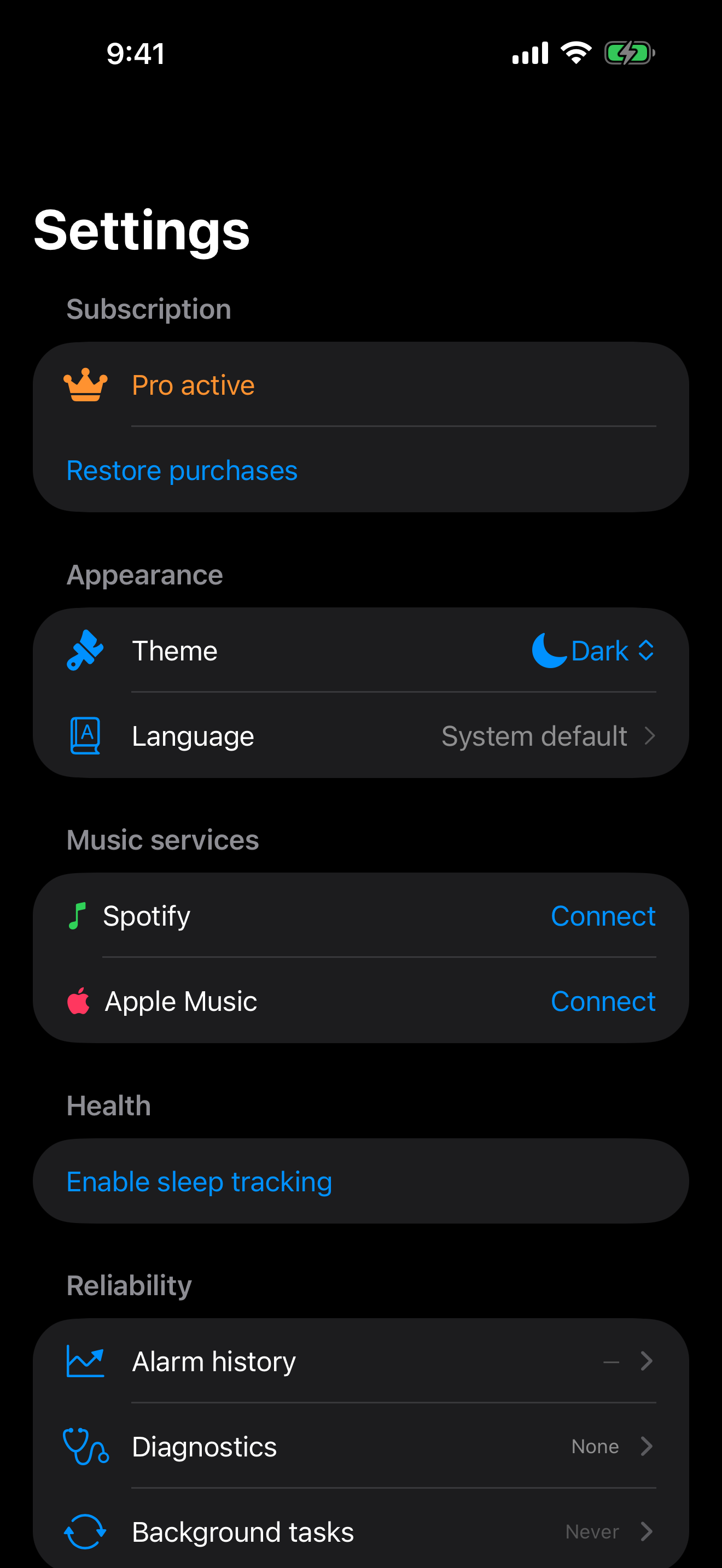
Smart Wake window, accountability buddy, location-aware alarms, and a built-in reliability dashboard.

Pricing

ใช้ฟรี ลองก่อน จ่ายถ้าอยู่ต่อ

ไม่มีโฆษณา ไม่ติดตาม ยกเลิกเมื่อใดก็ได้ในบัญชี App Store

ฟรี

$0 ตลอดไป

นาฬิกาปลุก 2 รายการ ความท้าทายเลข เสียงในตัว 12 แบบ ทดลองคลังเสียงช่วยหลับ

ตลอดชีวิต

$79.99 ครั้งเดียว

จ่ายครั้งเดียว ฟีเจอร์ Pro ทั้งหมดตลอดไป รวมการอัปเดตในอนาคต

รายเดือน

$9.99 ต่อเดือน

ฟีเจอร์ Pro เดียวกัน รายเดือน

รายสัปดาห์

$4.99 ต่อสัปดาห์

ทดลองฟรี 7 วัน ยกเลิกก่อนหมดช่วงทดลอง

Questions

คุณถาม เราตอบ

Will my alarm ring if my phone is on silent or Do Not Disturb?
Yes. On iOS 26 we use AlarmKit, which bypasses silent mode, Focus modes, and Do Not Disturb — just like Apple's built-in Clock app. On older iOS we use a high-priority notification with the loudest sounds Apple allows.
Does the music alarm need an internet connection?
Streaming sources (Spotify, internet radio, YouTube) require the internet at wake time. Apple Music tracks you've downloaded work offline. The 12 built-in tones and bundled sleep sounds always work offline.
Do I need a Spotify Premium account?
Yes — Spotify's SDK only allows playback for Premium subscribers. Apple Music alarms work with an Apple Music subscription, and internet-radio alarms are completely free.
How does Smart Wake work?
Set a window of 5–30 minutes. We read your Apple Watch sleep tracking via HealthKit, detect light-sleep periods inside that window, and fire the alarm at the lightest moment so you wake up less groggy. Falls back to your set time if no light sleep is detected.
Can I cancel my subscription?
Anytime, in your App Store account settings. The free trial converts to a paid plan only if you don't cancel before the trial ends. Lifetime is a one-time purchase — never charged again.
What about my privacy?
No tracking, no ads, no analytics SDKs. Sleep data stays on your device and Apple's HealthKit. Spotify / Apple Music tokens are stored in the iOS keychain. Read the full Privacy Policy.

ตื่นอย่างที่ควร พรุ่งนี้

ดาวน์โหลดฟรี Pro ฟรี 7 วัน หลังจากนั้น 169 บาท/สัปดาห์, 1,290 บาท/ปี หรือ 2,590 บาท ครั้งเดียว

รับ Alarms Pro